Features
From booking-in
to paid.
Every part of a workshop’s day, in one app for iPhone, iPad and Android — and the office half in a browser. Fifteen things it does, in the order a job meets them.
01
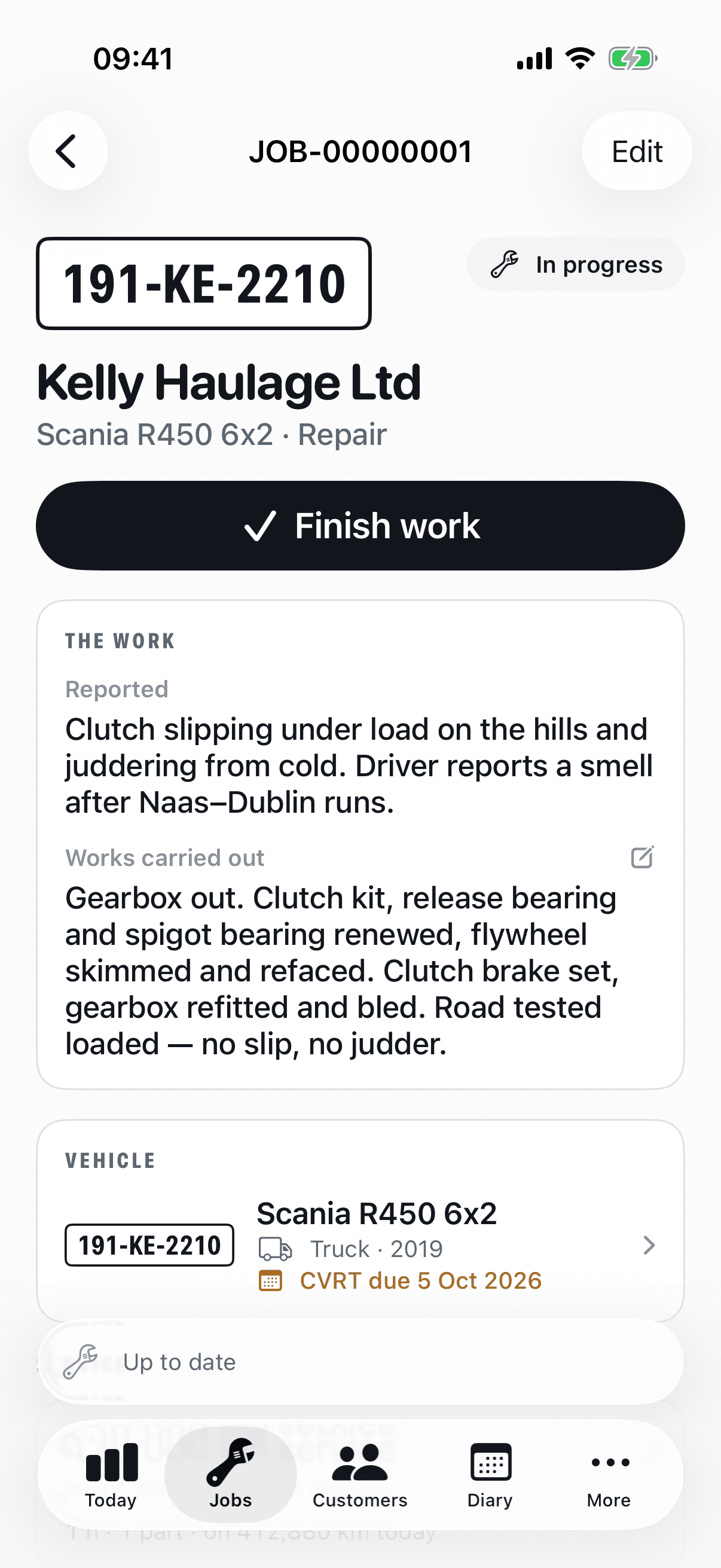
Jobs, from booking-in to handover
One job card carries the whole thing: the vehicle and trailer, the customer's order number, the initial diagnosis, labour on the clock, parts off the shelf, the inspection, the photographs, the works description and the money — and its status moves only the way a job really moves.
- Labour is clocked or entered by the hour, against the mechanic's own rate at that moment, rounded by your workshop's rule.
- Parts come from your price list with the cost and the sale price written onto the line as it's added — a later price change never rewrites it.
- The works description is the mechanic's own; on Premium, one tap tidies the spelling and punctuation and keeps the original alongside.
- Photographs and video on the job — as many as the work needs, clips up to a minute.
- Readiness is checked before completion: the inspection finished, the labour costed, the defects answered.
- A job report — registration, odometer, works, inspection outcome, photographs — is rendered as a PDF and goes out with the invoice.

02
The diary, and customers who book themselves
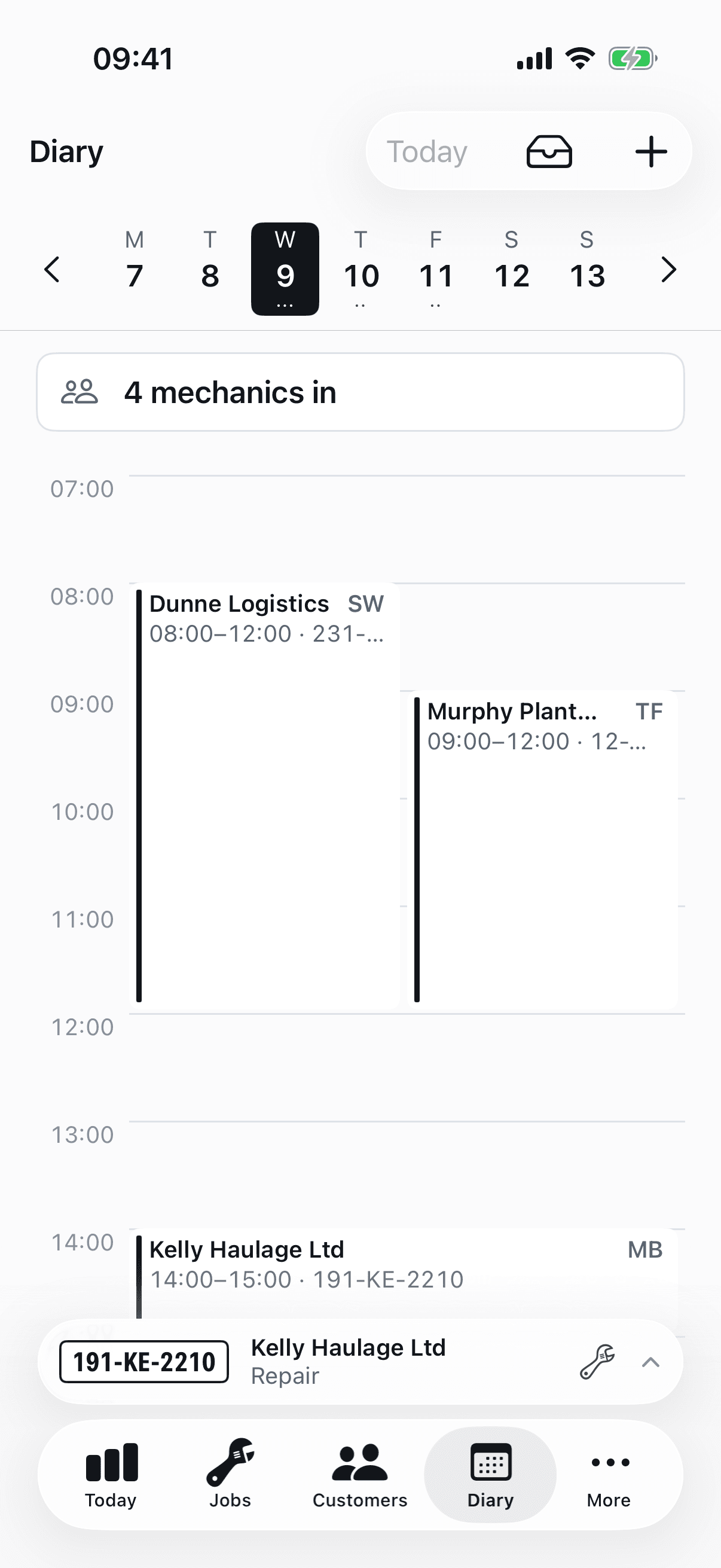
Work goes in the diary before it goes in a bay. Every plan gets the diary itself — the week at a glance, slots, who is on what. Premium adds the other end of it: your own booking page, where a customer picks a slot at eleven at night and it lands in your inbox.
- Assign a mechanic from the diary or from the job — one column, one writer, so the two can never disagree.
- Premium: your own page at workbay.ie/book/your-workshop, opening hours you set, and a slot only offered if somebody is there for all of it.
- Premium: a request is approved or declined by you before it is a booking, and the customer is emailed either way.
- Premium: a day with vehicles booked in and nobody rostered is the one thing the diary raises an alarm about.
03
Inspection sheets that run with gloves on
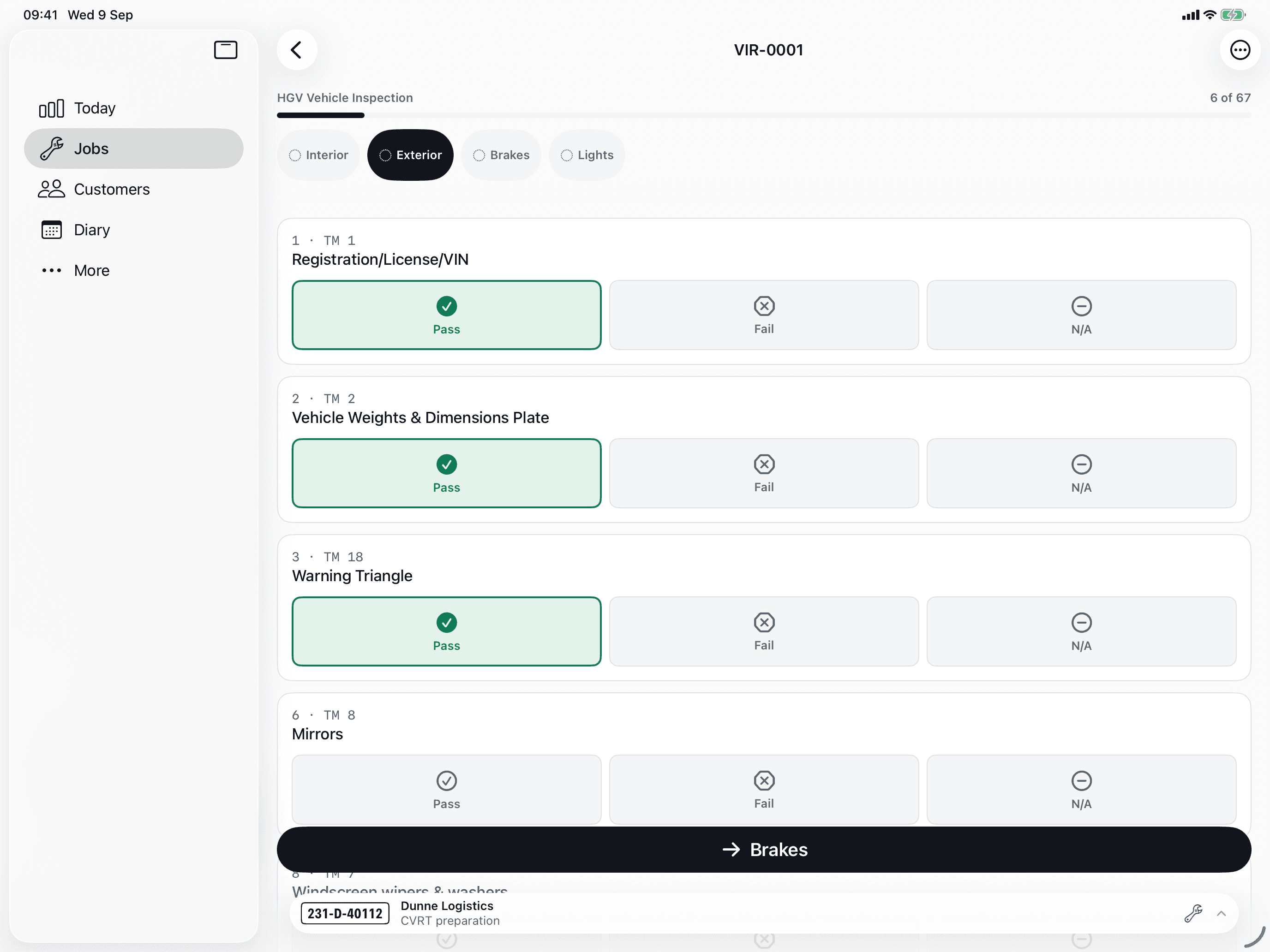
Five sheets are loaded on day one — the DVSA safety inspection, the service inspection, a pre-MOT check for cars and vans, the traffic-light vehicle health check and the car and van service sheet — and each vehicle type only ever sees its own.
- Pass and fail are 60-point targets. Sections and item numbers are on every row, and the safety inspection is marked the DVSA's way — satisfactory, defect, rectified or monitor.
- Works entirely offline. Answers queue on the device and sync when signal returns; nothing is lost to a force-quit.
- Failures raise defects with the right severity; amber on a health check is always an advisory, red takes the item's own.
- Signed on the screen at the end, and rendered as a PDF inspection report with the outcome and every finding.

04
Defects and compliance dates
A failed item becomes a defect on the vehicle, not a note on a sheet. It stays open until somebody rectifies it, with the photographs and the words that explain what was found.
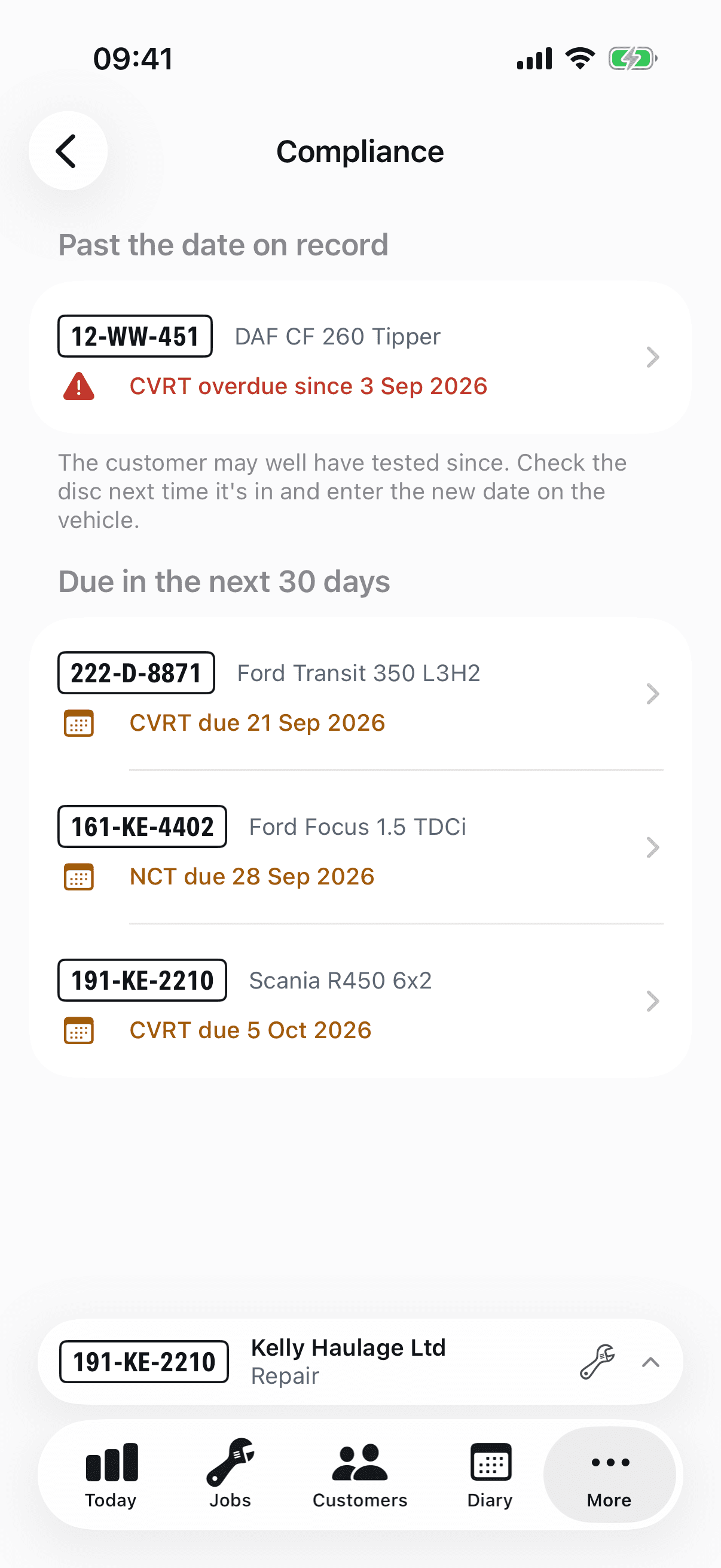
- Every vehicle carries its MOT or annual test, tachograph calibration and service dates, typed in off the certificate and shown as "not on record" until they are.
- A date falling due turns amber three weeks out and red once it has passed. The compliance list puts the whole fleet in that order — framed as work to sell, never as a failure.
- Rectification is recorded against the defect and the vehicle, so the full history is on the timeline when a customer or an inspector asks.
05
Estimates approved by email
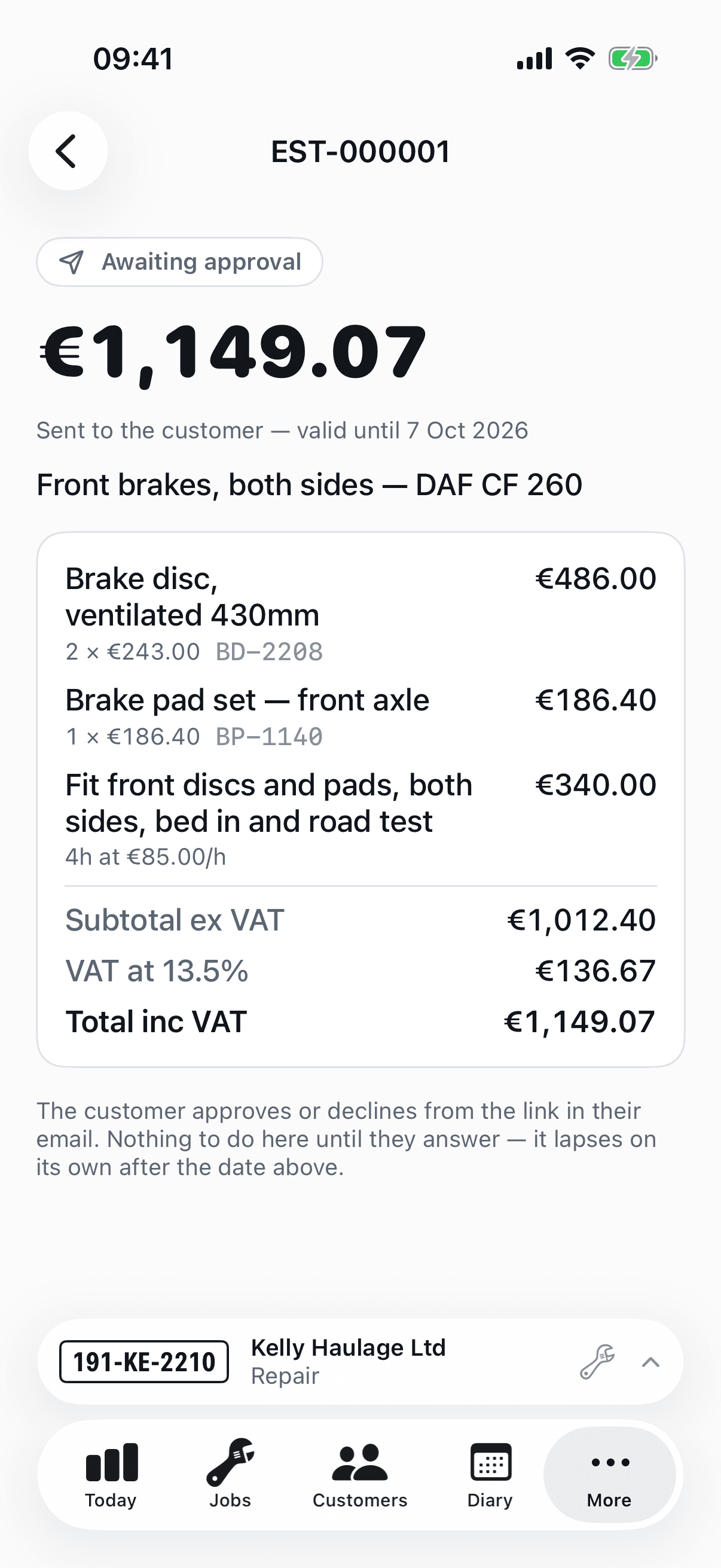
Draft the estimate at the desk, from the price list or typed. The customer gets an email and a page with one button; the approval, the name and the time are recorded. Convert it to a job with the lines carried across.
- Valid for 28 days by default; expired estimates say so on the page rather than being approved a month late.
- A rendered PDF for the customer who wants one on file.
06
Invoicing and getting paid
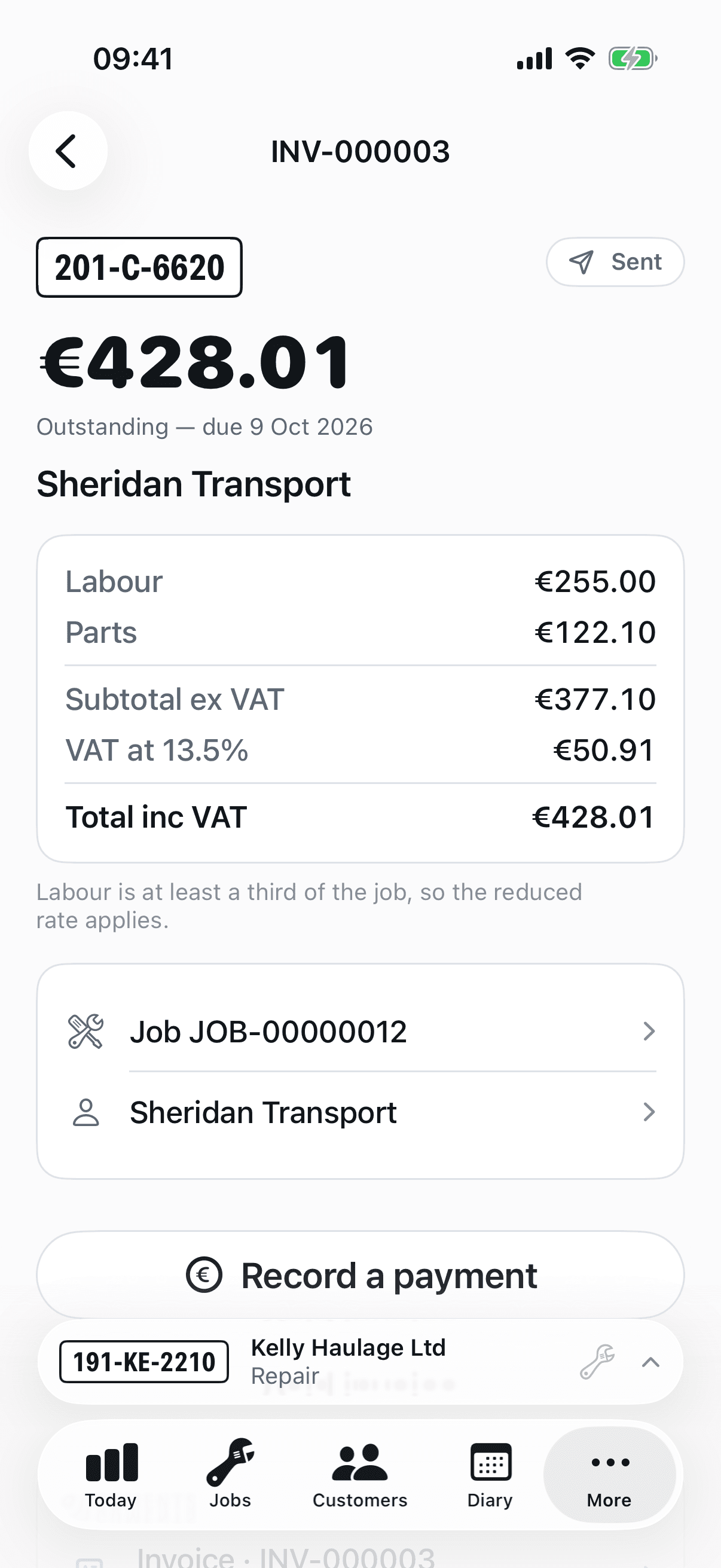
Every plan issues numbered VAT invoices, with the job report attached and your payment instructions in the email. The VAT treatment is decided by Workbay line by line — the reduced rate on the repair, the standard rate on tyres and batteries — and a business abroad is charged correctly from its VAT number.
- Standard: Workbay numbers, renders and emails the invoice; cash and bank transfers are recorded against it.
- Premium: Stripe numbers, delivers and chases it. Card at the counter, a payment link the customer opens on their phone, bank transfer or SEPA direct debit for account customers — and reminders that send themselves.
- Premium: Tap to Pay at handover, on iPhone or Android. No terminal, no monthly rental — the phone in the mechanic's pocket is the reader.
- Paid straight to your own Stripe account, in your name, on the customer's statement. Workbay adds no fee.
- Void an invoice and the job reopens; pay it in cash and Stripe stops chasing. The two systems tell each other.
07
Customers, vehicles and history
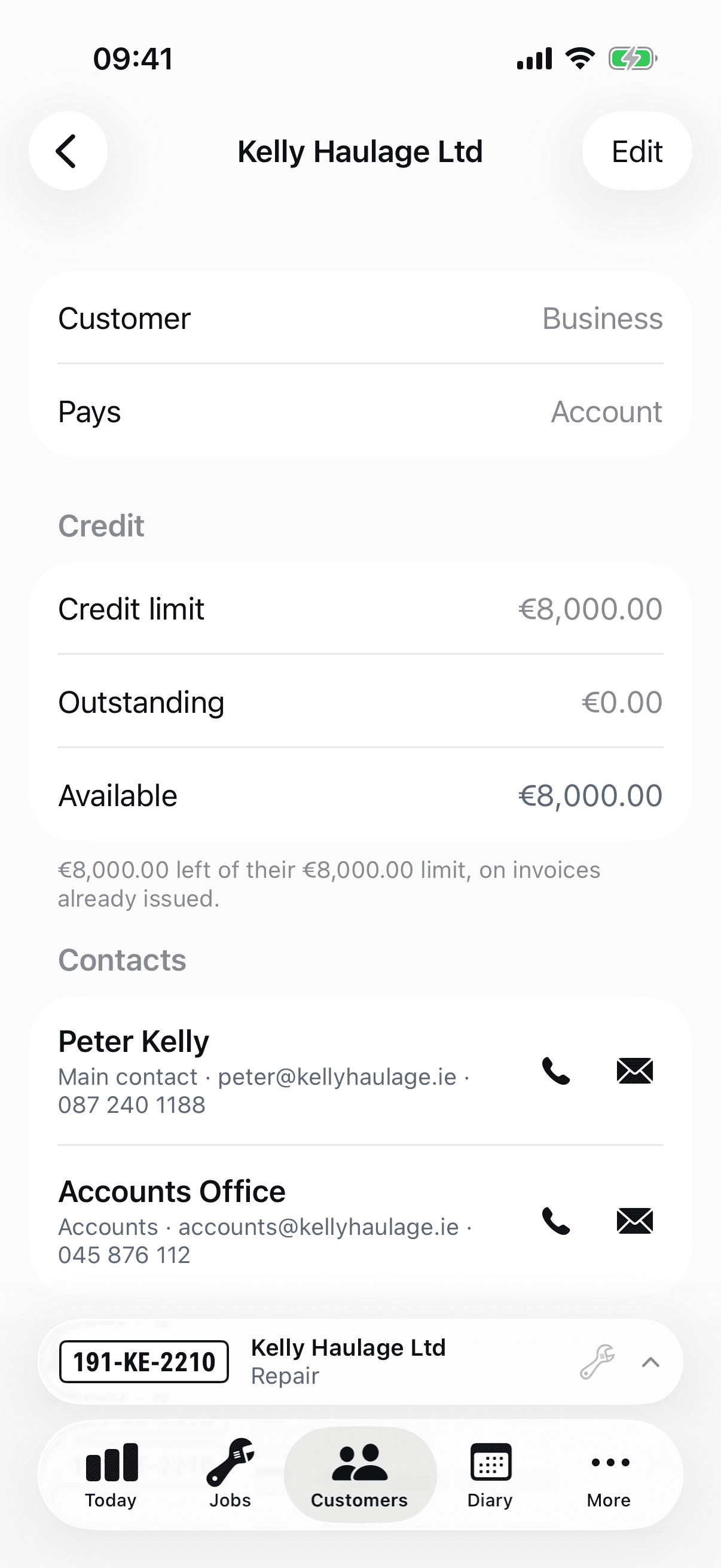
Customers with their contacts, credit limits and payment terms — on completion, or an account at 30 days. Vehicles with their registration, type, odometer and everything that has ever happened to them.
- Point the camera at a plate to find the vehicle or open a new one; the registration is read, never typed. That much is on every plan.
- Premium: look the registration up and get the make, model, VIN, engine, fuel and colour back, instead of typing them off the windscreen.
- A vehicle's timeline: every job, inspection, defect, rectification and compliance date in order.
- A business or a private customer, and the difference sets the terms: an account at 30 days, or paid on collection.
- One customer per phone number and per email address — the duplicate is caught at the keyboard, before a second file exists.
- A credit limit you set, checked against what is actually outstanding, with the position askable at any time. No limit means unlimited, and never zero.
- Move a vehicle to a new operator without rewriting a single invoice — what was raised stays raised against whoever was billed at the time.
- Statements of account over any period, rendered as a PDF, for the customer who pays monthly.
08
Parts, price list and stock
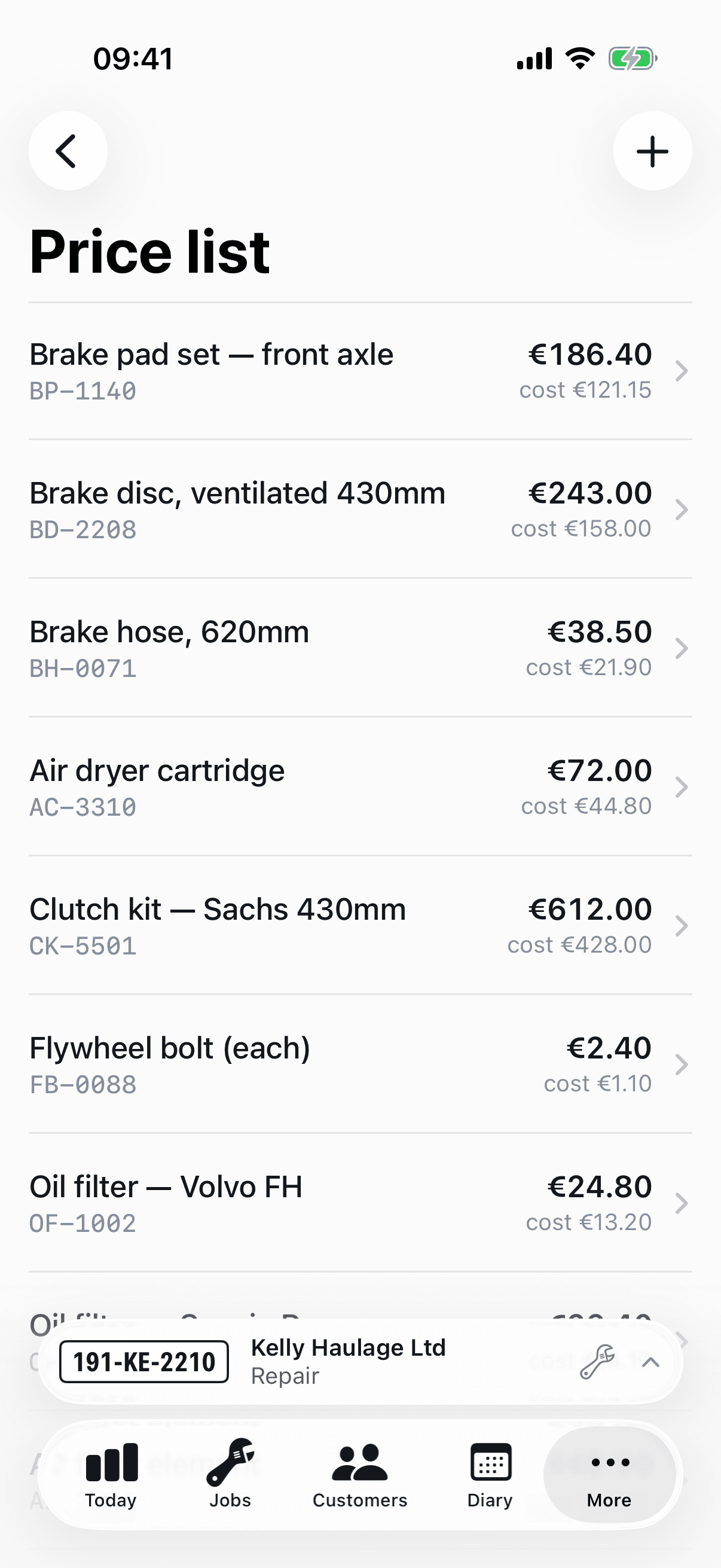
A price list of the parts you fit, with cost and sale price. Stock counts move as parts go onto jobs, with a movement history per product for the day the numbers don't add up.
- A part added to a job snapshots its price; the list can change tomorrow without touching today's invoice.
- Parts not on the list are typed straight onto the job — the price list is a convenience, not a gate.
09
The team, their rates and their time
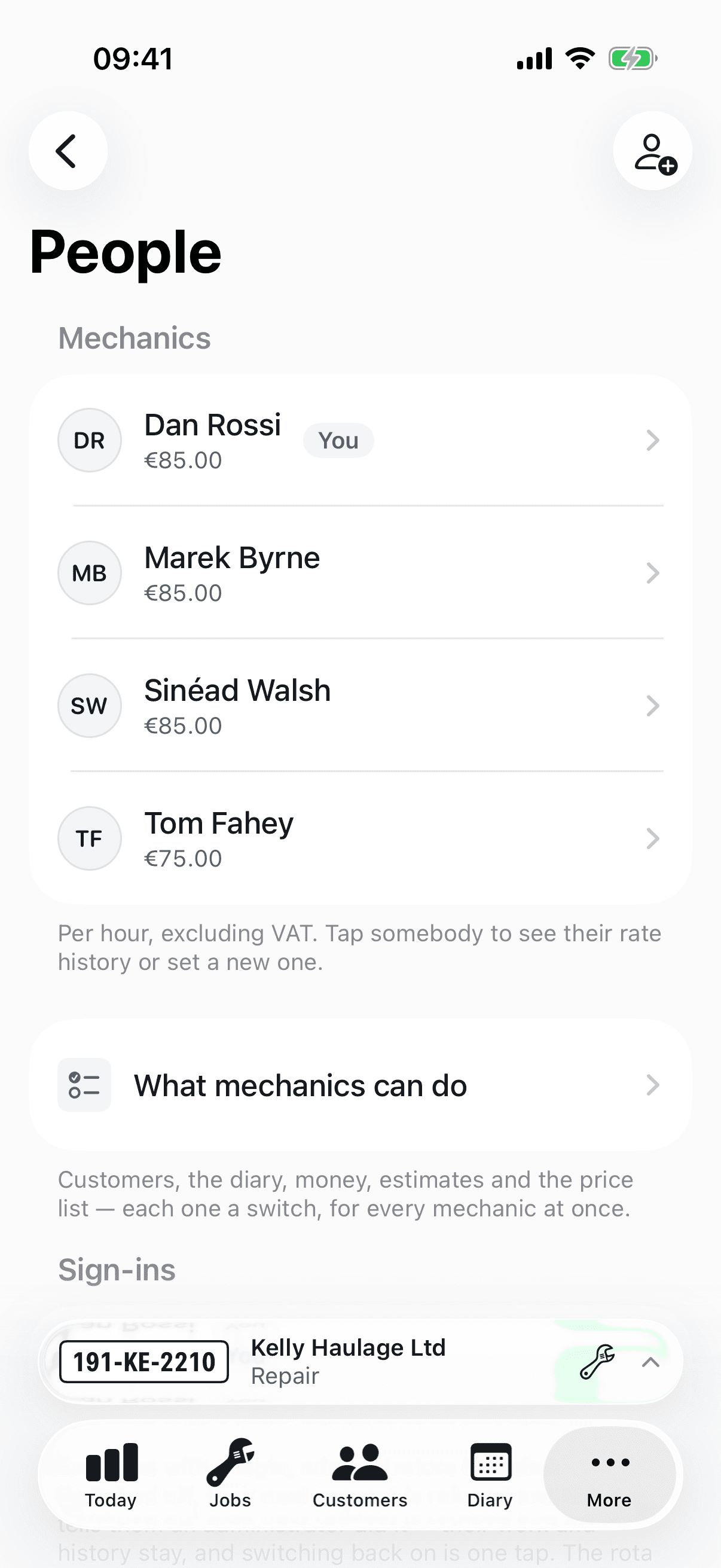
Mechanics on the rota with a charge rate and a cost rate, each dated, so margin is real. Time rounding is one rule for the whole workshop, set once.
- Invite people by email; they sign in with the same account on any device — iPhone, iPad, Android, or the office in a browser. A shared tablet moves with whoever signs in.
- Standard is one user licence, for the owner who does the work; Premium is unlimited. Mechanics you record work against don't need one unless they sign in themselves.
- Admins see the office shell — five tabs and density. Mechanics see two tabs and big targets. The role on the sign-in decides.
10
Who is in, and what that leaves you
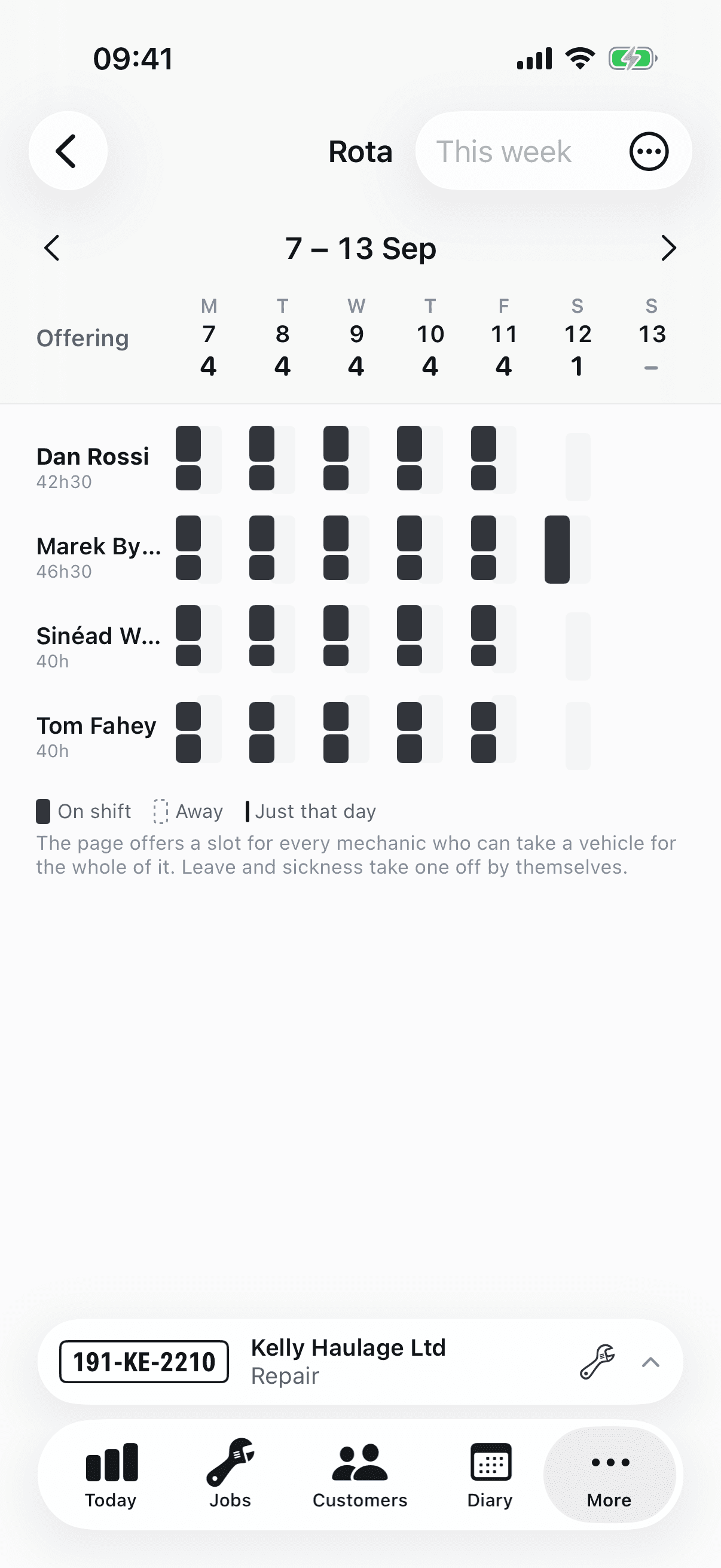
Opening hours say when the doors are open. The rota says how many hands are behind them — a weekly pattern per mechanic, the days that differ, and the time off that eats into it. Premium.
- Annual leave and sickness reduce what your booking page offers, by themselves — without closing the day on the mechanic who is in.
- A mechanic asks for their own time off from their phone; an administrator answers it. What an administrator records is decided as they type it.
- Why a colleague is off is not everyone’s business — a mechanic sees that someone is away, not the reason.
- The cover strip sits directly above the shifts that produce it, so the number your booking page reads is visible where it is made.
11
Performance, honestly
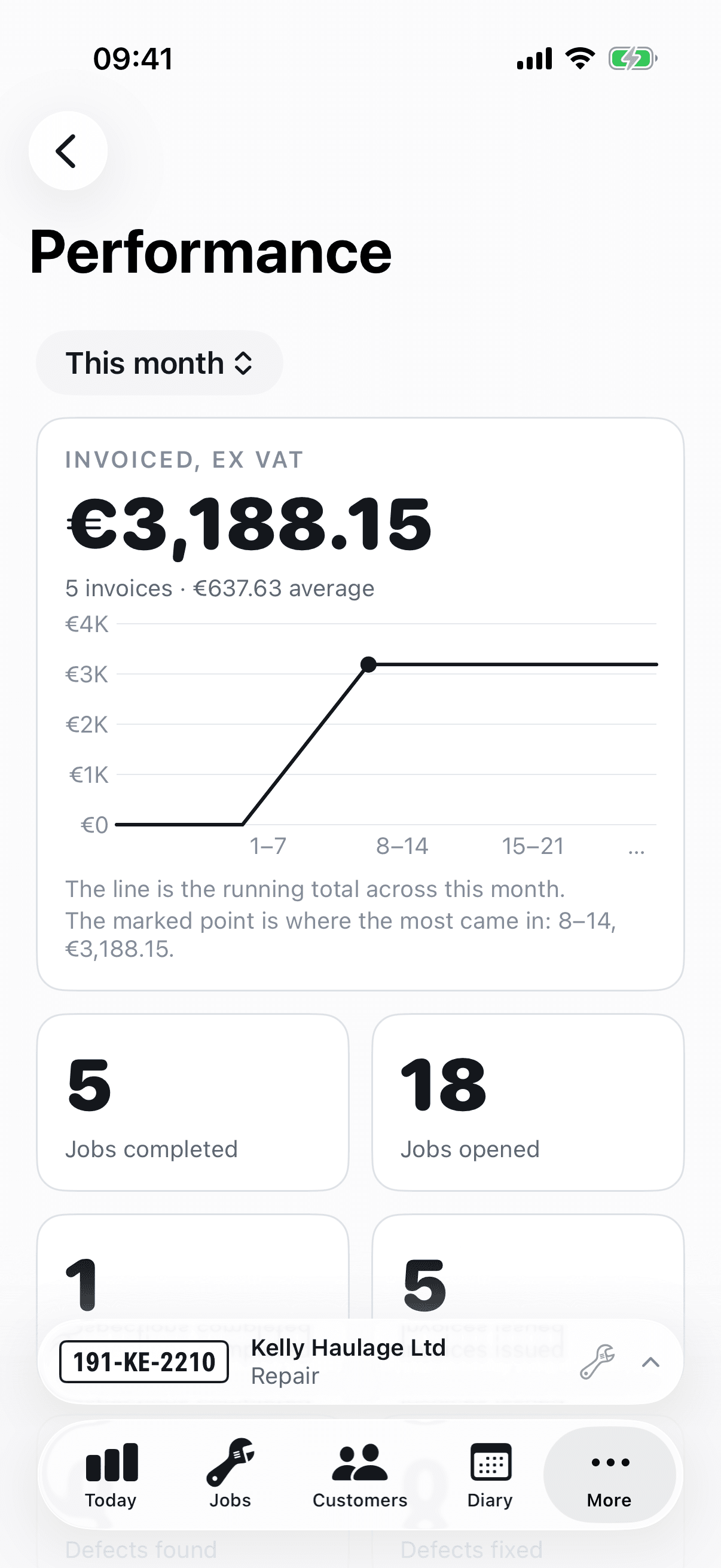
How the workshop is doing, for the person who owns the answer: revenue invoiced, jobs and inspections done, margin on labour and parts, hours booked per mechanic, cash collected by method — this period against the last.
- Lines with no cost are counted and named, because a margin that quietly assumes zero cost is a lie.
- The figures the device holds are there without signal; the ones only the server can compute say so rather than showing a stale number.
12
Exports for the accountant
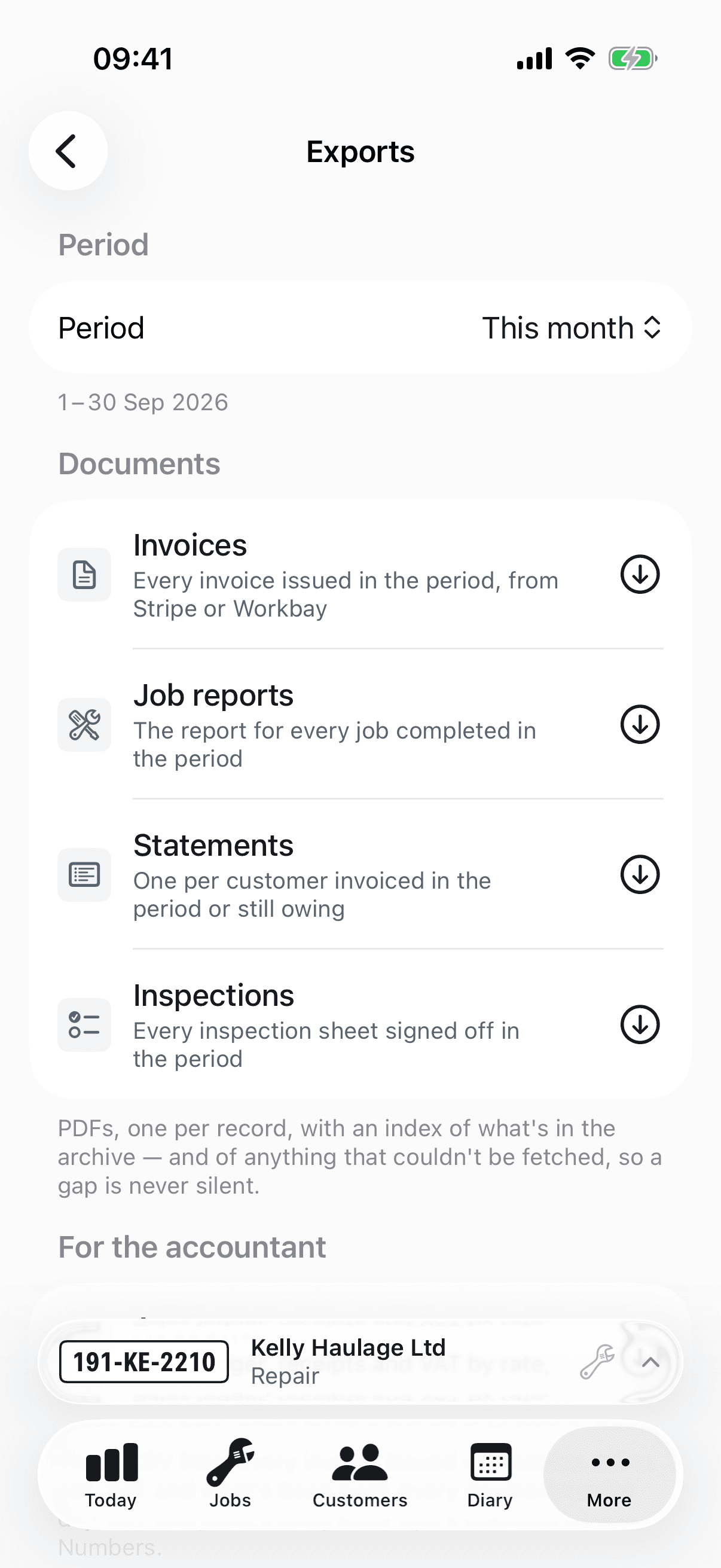
Invoices, job reports, statements, inspection reports and an accounts ledger over any period, as a ZIP for the share sheet. Each archive carries an index that lists anything it could not include and why, so the gap is explained on the day rather than found at year end.
- A VAT summary with void invoices excluded and a ledger where paid and outstanding are as of the day of the export.
- Reads and exports are never withdrawn — not at the end of a trial, not while a payment is sorted out.
13
Offline, deliberately
The app keeps its own copy of the workshop on the device and reads from that, always. Writes queue and are pushed in order when signal returns. The server has the final say, and when it refuses something the app says so instead of quietly undoing it.
- A force-quit mid-sync produces exactly one labour entry, not two.
- A mechanic who watches a status snap back learns the app loses work; ours shows the conflict and keeps the words.
14
The office, in a browser
The administrator's half of the app, on the web, for a desk with a keyboard: the job board, customers and the fleet with their history, the diary with the rota's cover under it, money and estimates, people, the price list, exports and settings — against the same workshop the app holds, so a job opened on the phone is on the screen at the desk.
- Administrators only. A mechanic's work is in the bay, and the app is where it happens.
- What only a phone can do stays on the phone: the inspection runner, Tap to Pay, the plate camera and working without signal. The web views the signed sheet, shares the payment link and records a cash payment instead.
- The one thing the web does that the app never will: show the subscription and open billing.
15
Notified, not nagged
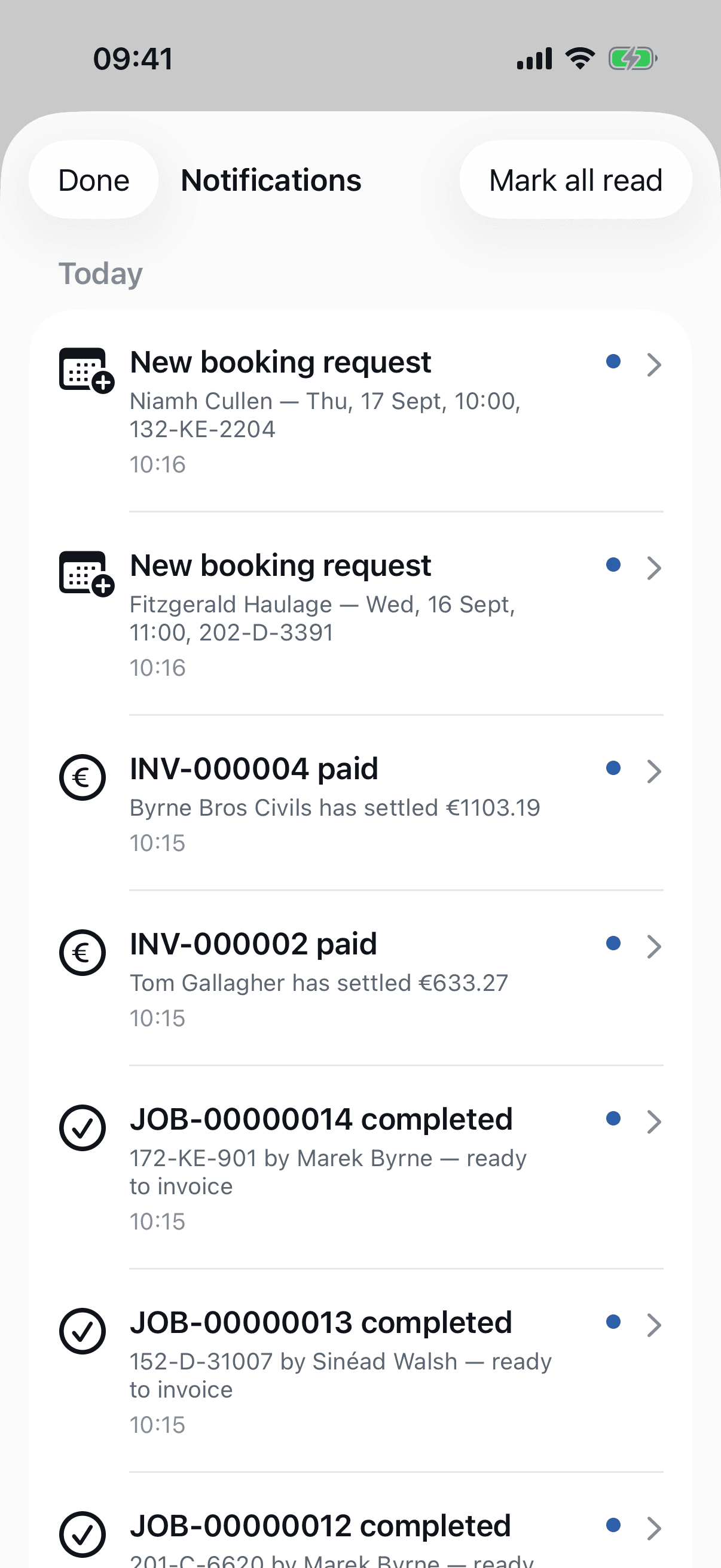
An estimate approved, a payment landed, an invoice voided, vehicles to book in: a push to the phone, and a drawer in the app that holds the record even when the push is missed.
- Every notification is also an email to the person it concerns; the push is the courtesy, not the record.
Wondering about something not on this list? Ask — a person answers.
Workshop in the Republic of Ireland? See Irish prices and sheets →
Next step
Run a real job on it.
14 days is long enough to take a vehicle from booking-in to invoice and judge it on that. No card. Nothing charged unless you add one.